Currency Rates
You can set the currency exchange rates as follows:
- You set the exchange rate in the system yourself
- Or the exchange rate is updated automatically every morning.
Independent adjustment of the exchange rate
To set the currency exchange rate, do the following:
- Go to the Currency Rates section.
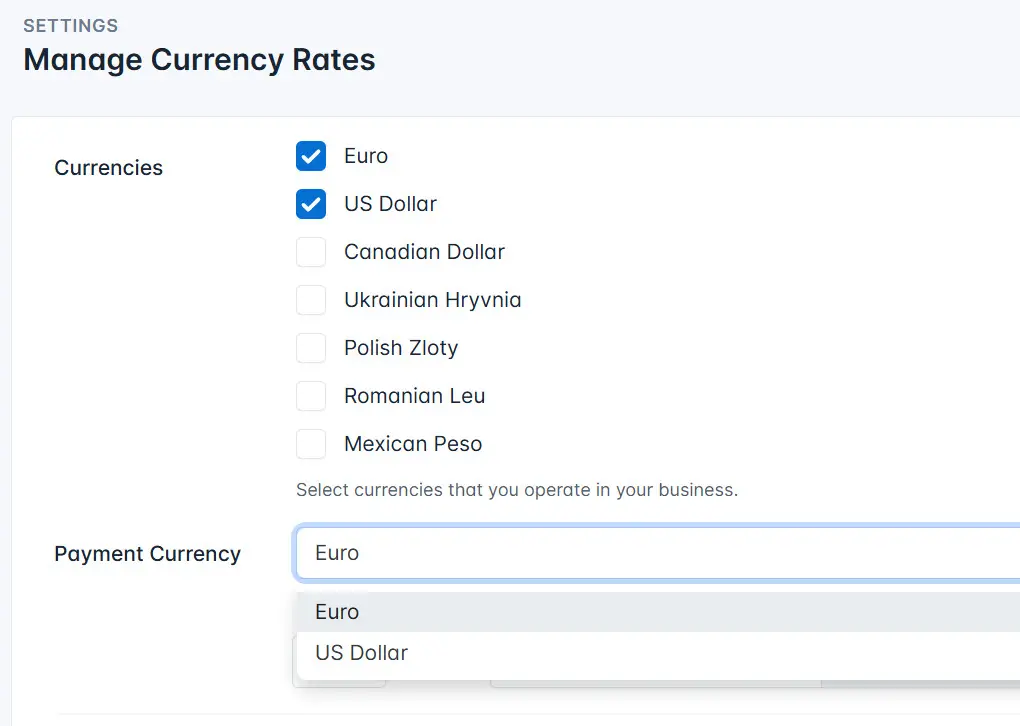
- Select the currency or currencies.
- Select the payment currency.
- Enter the amount for the selected currencies.
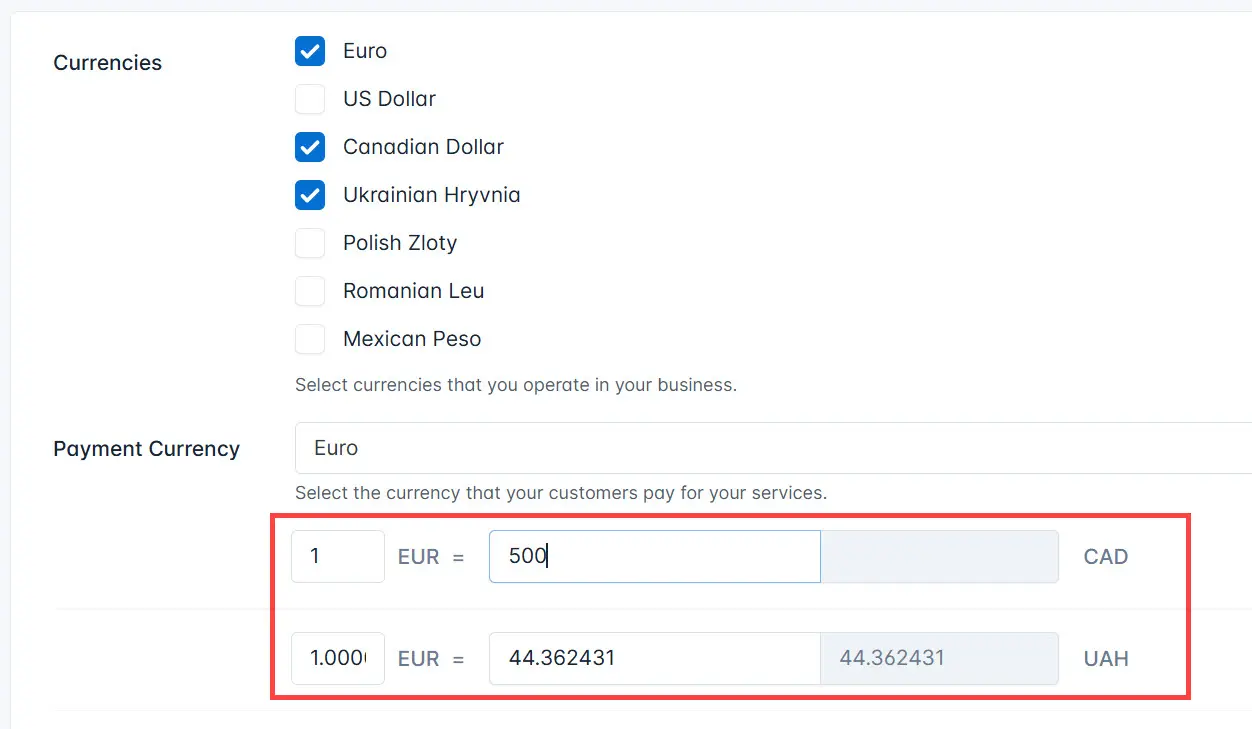
- Click the Save button.
Automatic adjustment of exchange rates
To automatic adjustment of exchange rates, do the following:
- Go to the Currency Rates section.
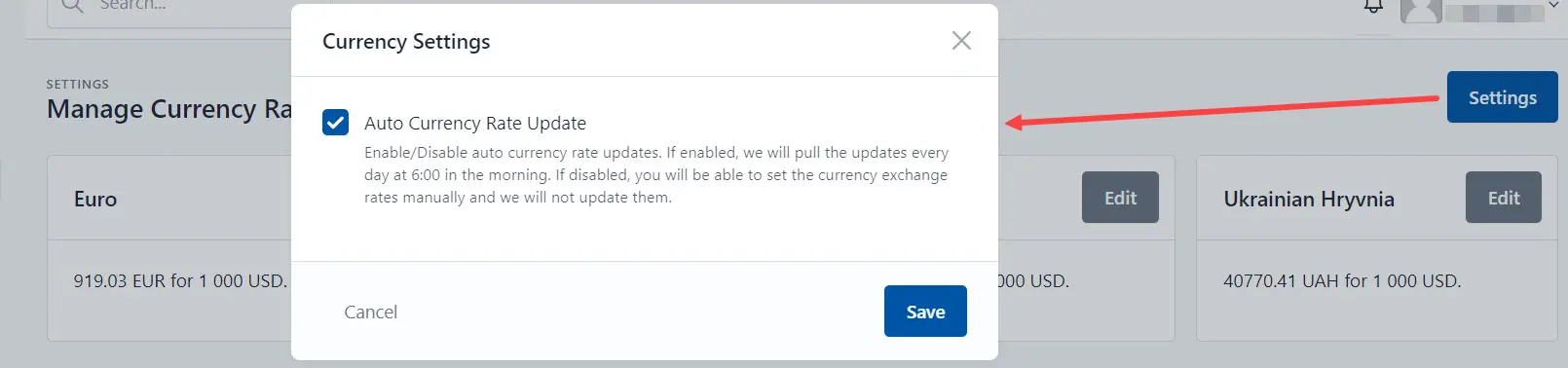
- Click the Settings icon.

- Check the Auto Currency Rate Update and click the Save button.