Create New Expense
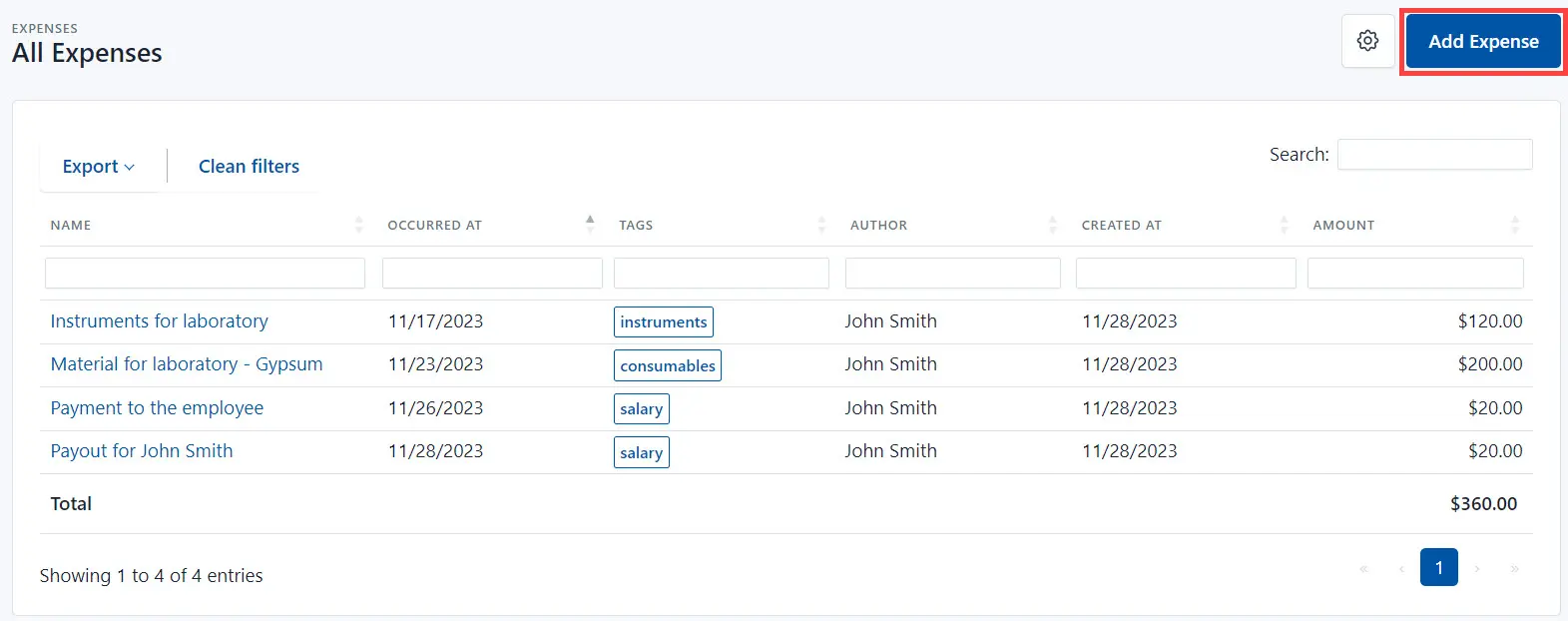
The Expenses section in the system manages the current expenses in the laboratory (for instance, purchase of consumables, etc).
- Go to the Expenses section and click the Add Expense button.
- Fill in the following fields:
- Name and description of a new Expense.
- Amount and currency of the Expense.
- Payment day (the Occured At field).
- Tags - to distinguish payments by category, enter the appropriate label. For example, consumables.
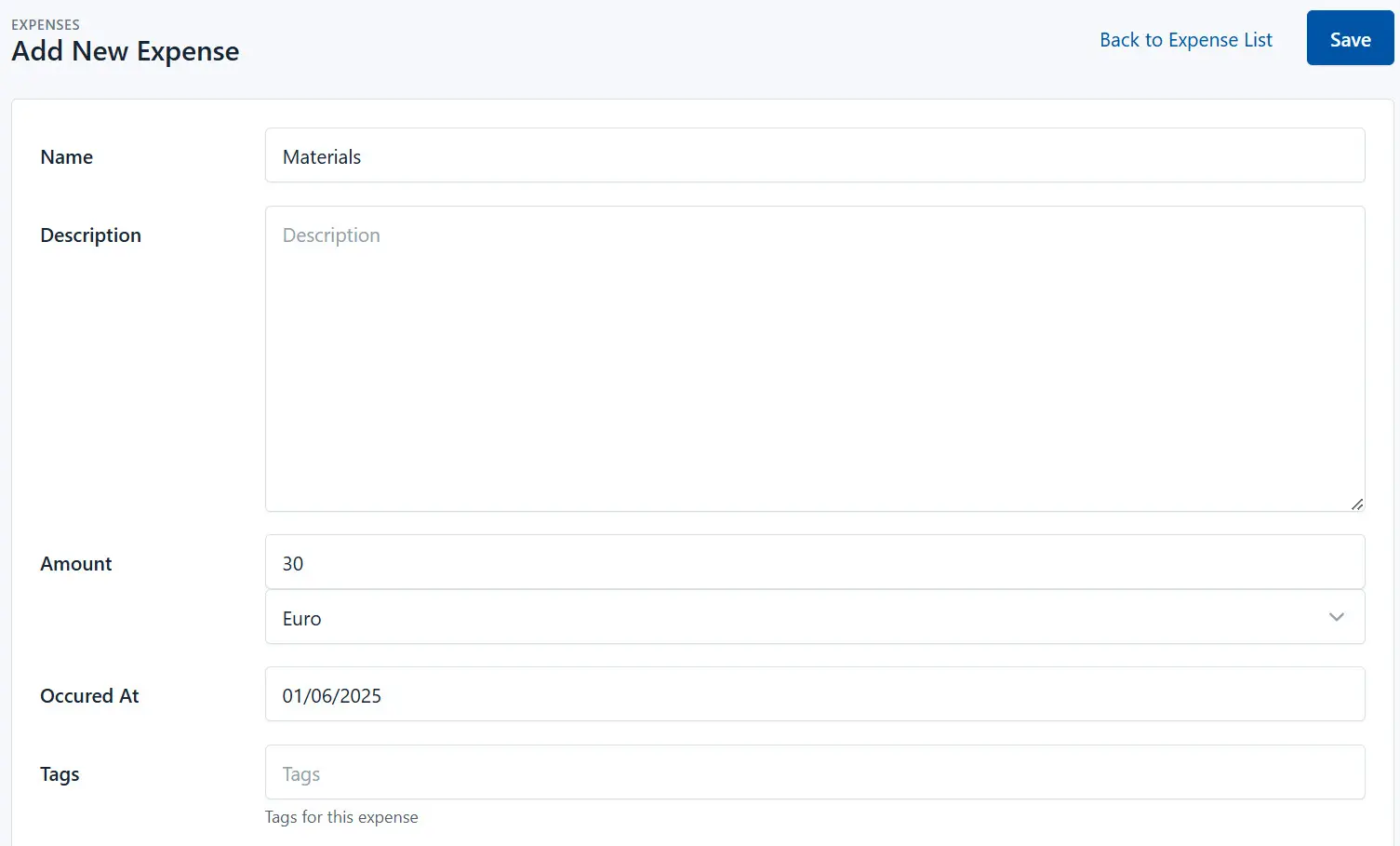
- Click the Save button.