Main Settings
The system displays the Main Settings section when you go to the Settings section.
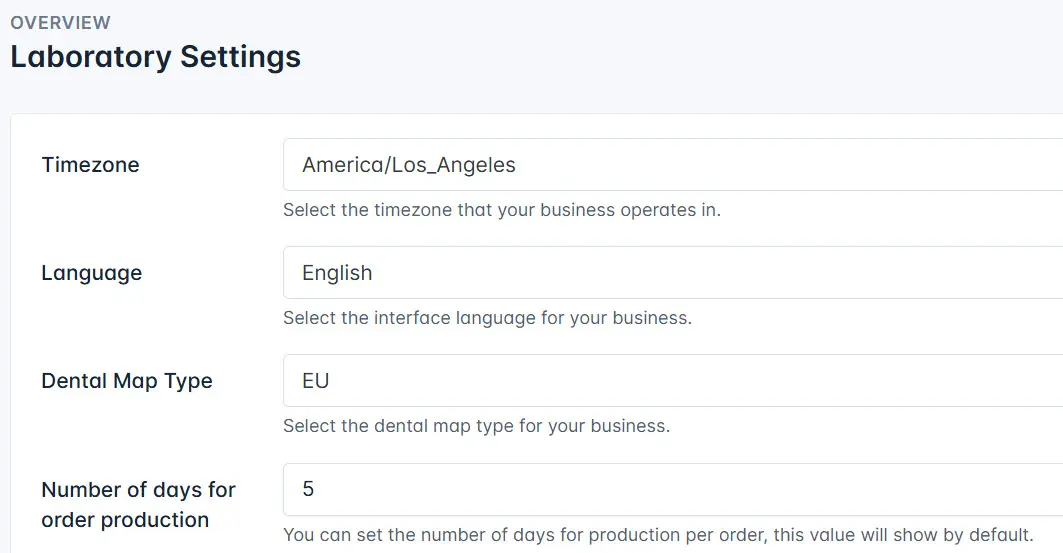
You can change the following settings:
- Timezone - select the time zone in which you work;
- Language - the system language;
- Dental Map Type - select the dental map type you need to use;
- Number of days for order production - set the number of days during which you must fulfill the order;
- Contact Information - your contact details that can be used to contact you;
- Email - add your contact email address;
- Registered Address - add the address you will use in the financial document;
- Customer Registration Open - customers can independently register in the system using the provided link if this setting is active;
- Auto Plan on Publish - activate it to automatically plann planing after the order publishing;
- Service Fee - add the amount of service fee;
- Holidays Schedule - specify the holidays shedule.
Click the Save button to save changes.