Announcements
You can create announcements that will be displayed at the top of the system page.
To create an announcement in the system:
- Go to Settings → Announcements.
- Fill in the announcement fields:
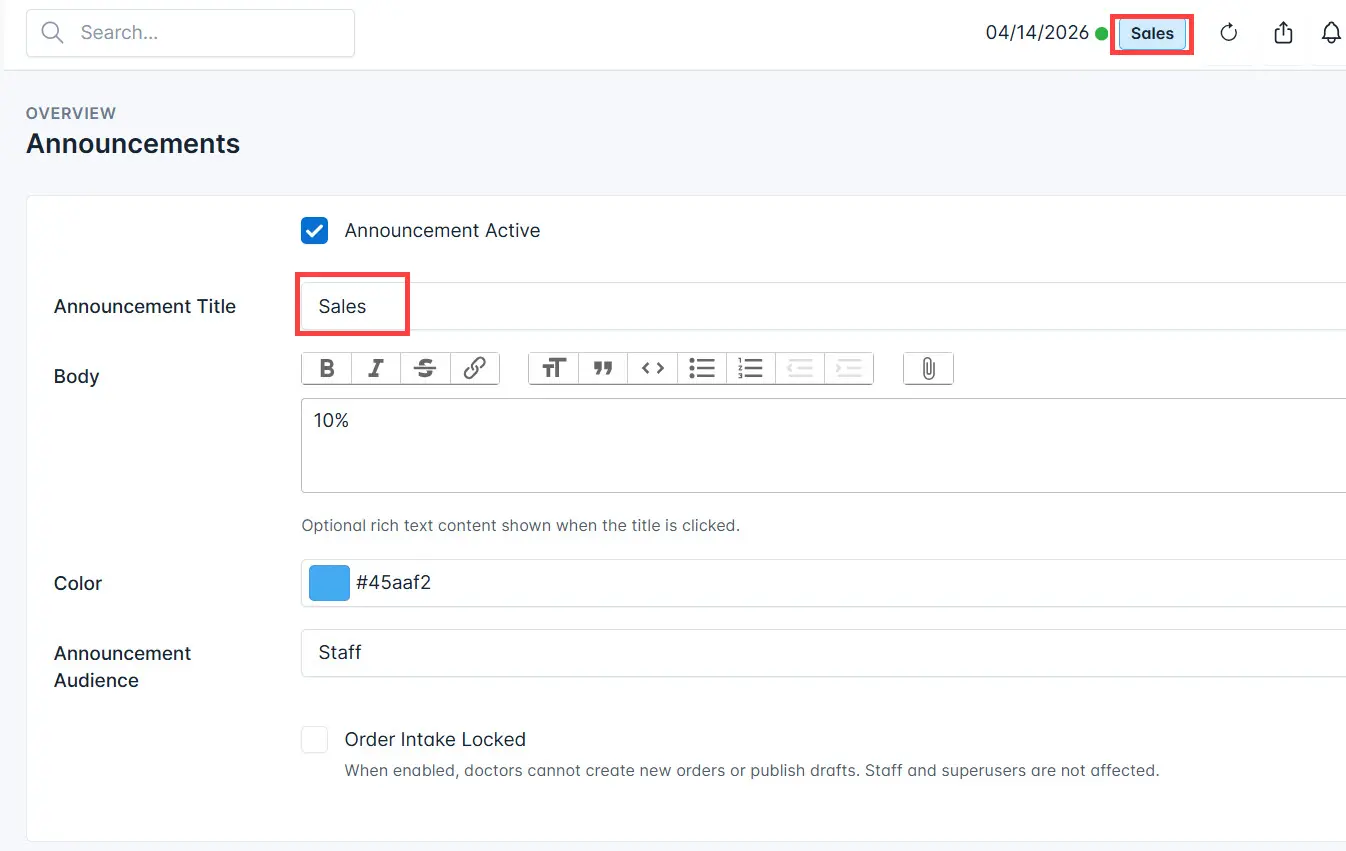
- Announcement active — enable this checkbox if the announcement is relevant and should be displayed.
- Announcement title — enter the title that will be shown at the top of the system page.
- Content — enter the announcement text. The text is displayed when the title is clicked.
- Color — choose the announcement color.
- Announcement audience — select the system users who should see the announcement.
- Order intake closed — enable this setting if you want to prevent the creation of new orders.
- Click the Save button.
As a result, the announcement will be displayed in the system.