Tasks
The Tasks section displays the lists of the tasks that your employee must complete to fulfuill the order.
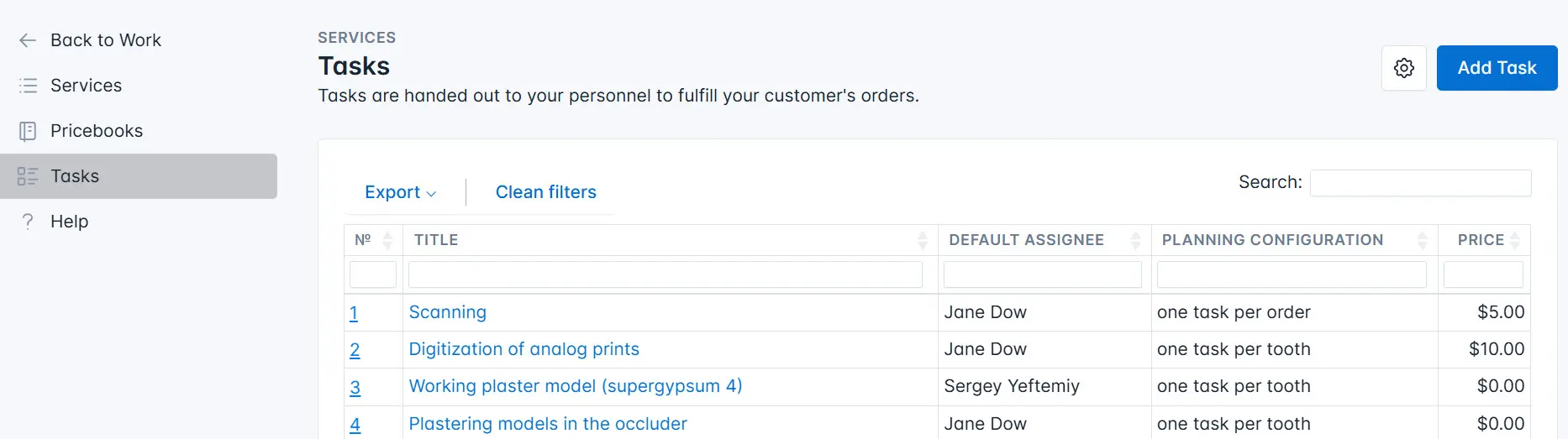
The page contains the following information:
- Task name;
- Full name of the default task assignee (if any);
- Planning — this may include one task per order or multiple tasks;
- Task price — the cost of the task (i.e., the amount to be paid to the employee who completed the task).
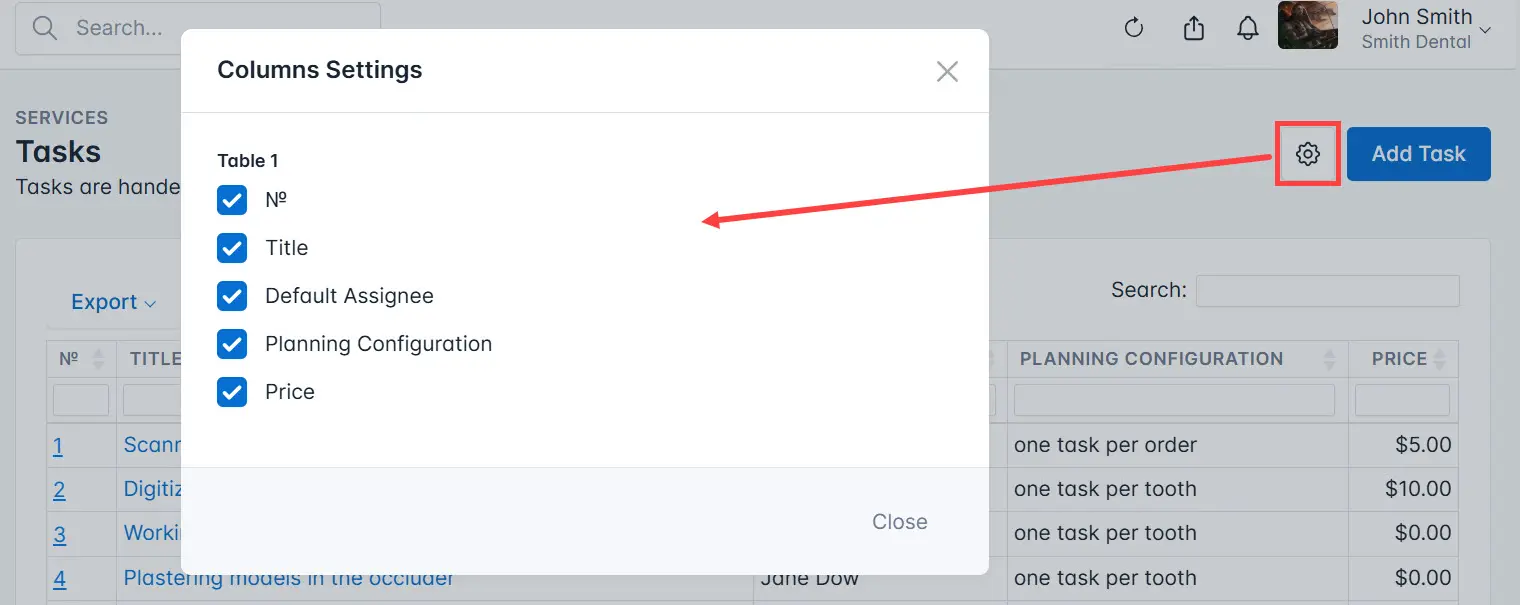
If necessary, you can customize the display of task columns. To do this, click the settings icon and select the columns you want to keep in the section.
The list of tasks can be exported to a separate file in the following formats:
- Excel;
- CSV;
- PDF.
Click the Export button and select the required format from the drop-down list.